Every business knows it needs video. The harder question is which kind, and why.
The landscape of video formats has expanded significantly. What was once a choice between “professional production” and “nothing” is now a nuanced spectrum of formats, each with a distinct purpose, production cost, and audience fit. Understanding that spectrum is the first step to deploying video strategically rather than reactively.
This post breaks down ten core video formats, what each one does well, and where it belongs in your marketing stack.
1. Talking Head Videos
The format that builds human credibility at low cost.
A talking head video features a single person speaking directly to camera, or slightly off-axis in an interview style. The production requirements are minimal. The strategic value is not.
Because the format centers on one person, it creates a direct, personal connection with the viewer. That makes it a reliable vehicle for thought leadership content: product walkthroughs, founder commentary, or expert takes on industry shifts.
When produced as a series, talking head videos function as a vlog: a video-native equivalent of a written blog. Companies use this format to answer frequently asked questions, document product updates, and introduce new team members. The practical implication is that you need to decide early who will be on camera. A single consistent face builds familiarity. A rotating team signals depth.
2. Interview videos
Interview-style videos follow a familiar structure: an on-camera subject responds to questions from an off-camera interviewer. They can be shot with a single fixed camera or with multiple angles for a more dynamic edit.
The range of topics is wide: industry trends, company culture, product philosophy, customer success. What makes them effective is the implicit credibility transfer. When a respected voice speaks on your behalf, even in a format your team produced, the association matters.
Interview videos work particularly well for content that benefits from a conversational tone rather than a formal script.
3. Animated videos
The format that makes complex ideas accessible.
Animation removes the constraints of physical production. There are no location permits, no talent schedules, no weather delays. What you gain in flexibility, you can invest in clarity.
The most common animation styles include:
– 2D animation: The classic frame-by-frame style, immediately recognizable and broadly accessible.
– 3D animation: A more cinematic, volumetric feel suited to product visualization.
– Motion graphics: A clean, minimalist style that excels at illustrating data and processes.
– Animated typography: Text-forward animation for when the words themselves carry the most weight.
– Stop-motion: Frame-by-frame capture of physical objects, including claymation variants. It produces a distinctive, tactile aesthetic.
– Whiteboard animation: A drawn-on-screen style that pairs well with instructional voiceover. Accessible to teams without large creative budgets, given the range of low-cost tools available.
Animated explainer videos in particular are effective for abstracting complex product logic into something a non-technical audience can follow in under two minutes.
4. Mixed media videos
The format that trades format purity for creative range.
Mixed media combines two or more production types in a single video: live-action footage alongside animation, or real screenshots alongside stock imagery. The result is a format with no fixed aesthetic, only a fixed objective.
The practical advantage is cost efficiency. Stock footage can substitute for live production where actor availability or budget is a constraint. Animation can fill gaps where physical demonstration is impossible. Screenshots can anchor a software walkthrough without requiring a full screencast setup.
The risk of mixed media is incoherence. It works when each element is chosen for a functional reason, not because assets were available.
5. Screencast videos
The format that shows the product doing the work.
A screencast records your interface directly: your website, your software, your app. Add a voiceover and a soundtrack, and you have one of the most cost-efficient video formats available.
Screencasts carry specific weight at two moments in the customer journey. Pre-sale, they function as demos: a direct, evidence-based case for your product’s capabilities. If your product is a mobile app, a screencast can be posted directly to the App Store to support download conversion. Post-sale, they become tutorials, reducing support burden and increasing product adoption.
Because the content is generated from the product itself, the production process is straightforward. The challenge is pacing: screencasts that move too fast lose the viewer, and those that move too slowly lose their credibility as a demo.
6. Text overlay videos
The format built for silent consumption.
Up to 85% of Facebook videos are viewed without sound. That single data point explains why text overlay video exists as a distinct format.
Text overlay combines b-roll or still imagery with on-screen text, typically driven by pan and zoom effects and backed by music. The narrative is carried visually, without requiring the viewer to opt in with audio. Sound becomes an enhancement rather than a prerequisite.
BuzzFeed’s Tasty built a significant audience on this format, pairing short recipe clips with overlaid ingredient lists and step-by-step instructions. The format is well-suited to how-to content and simple sequential narratives. It also compresses well to short durations, which makes it a natural fit for social placements.
7. Live stream videos
The format that trades polish for presence.
Live streaming distributes content to an audience in real time via platforms like YouTube or Facebook. The production quality ceiling is lower than pre-recorded formats. The engagement dynamic is different.
Real-time interaction creates a sense of shared experience that replays do not replicate. Viewers who join a live stream are often more engaged simply because the moment is happening now. The format also produces a recorded asset automatically: the saved stream remains available for viewers who could not attend.
Live streaming is underutilized relative to its potential, particularly for product launches, Q&A sessions, and event coverage. The format rewards consistency. Recurring live sessions build an audience in a way that one-off broadcasts rarely do.
8. Interactive videos
The format that turns viewers into participants.
Interactive videos give viewers agency within the viewing experience. They can make decisions, answer questions, navigate to different content paths, and in some implementations, complete transactions without leaving the player.
The practical applications are significant. A real estate company can create a single interactive video that routes prospective buyers down one content path and prospective sellers down another, delivering relevant information to each group without producing two separate videos. Viewer decisions also generate behavioral data, providing insight into audience priorities that passive viewing cannot.
The depth of engagement interactive formats produce is measurable and strategically actionable.
9. 360-degree videos
The format that puts the viewer inside the scene.
360-degree video captures a complete spherical field of view, allowing viewers to navigate the frame from any angle. The immersive quality is distinct from every other format on this list.
For product-focused content, 360-degree video allows close, detailed examination from perspectives a standard camera cannot provide. For hospitality brands, it supports virtual property tours that give prospective guests a realistic sense of space before they commit to a booking. The format is particularly effective when physical presence would be the most persuasive sales tool available, and physical presence is not an option.
10. Customer testimonial videos
The format that lets your customers make the case.
A well-produced customer testimonial video follows a clear narrative arc: the problem the customer faced before your product, the decision to use it, and the outcome. That structure mirrors the decision process of a prospective buyer and creates an implicit argument without requiring a single marketing claim.
The interview format works best here. Open-ended questions allow customers to speak in their own words, which is what makes testimonial content credible. Scripted or over-coached responses undermine the format’s core value: authenticity.
The most effective testimonial videos connect on the problem first. A prospective buyer who recognizes their own challenge in a customer’s story is already engaged before the solution is introduced.
Final Thoughts
The formats above span a wide range of production complexity and cost. What they share is purpose: each one is a tool for communicating something specific to a specific audience at a specific moment in the customer journey.
Choosing the right format requires clarity about the objective before the camera turns on. A thought leadership series demands a different format than a product demo. A social campaign demands different constraints than an onboarding tutorial. The investment in understanding that distinction pays off every time you produce.
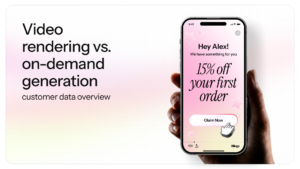
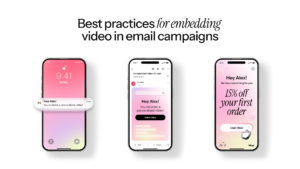
Blings operates as a Universal Personalization Platform that adds a layer of capability to several of these formats. Its client-side architecture supports on-demand generation of Dynamic Masters: live, personalized assets that update in real time based on viewer data. The Live URL means a single asset can serve millions of unique experiences without re-exporting or re-uploading. For teams working with interactive video, animated content, or data-driven personalization at scale, Blings fits directly into the formats where static production reaches its limits.