Best practices
Personalization
Email
Website

What is a PURL? Personalized URLs explained for marketers

Yonatan Schreiber's avatar Yonatan Schreiber | Nov 5, 2026
Blog cover on a pink gradient showing a personalized URL field and a button, illustrating how personalized URLs work.
Yonatan Schreiber's avatar Yonatan Schreiber | Nov 5, 2026

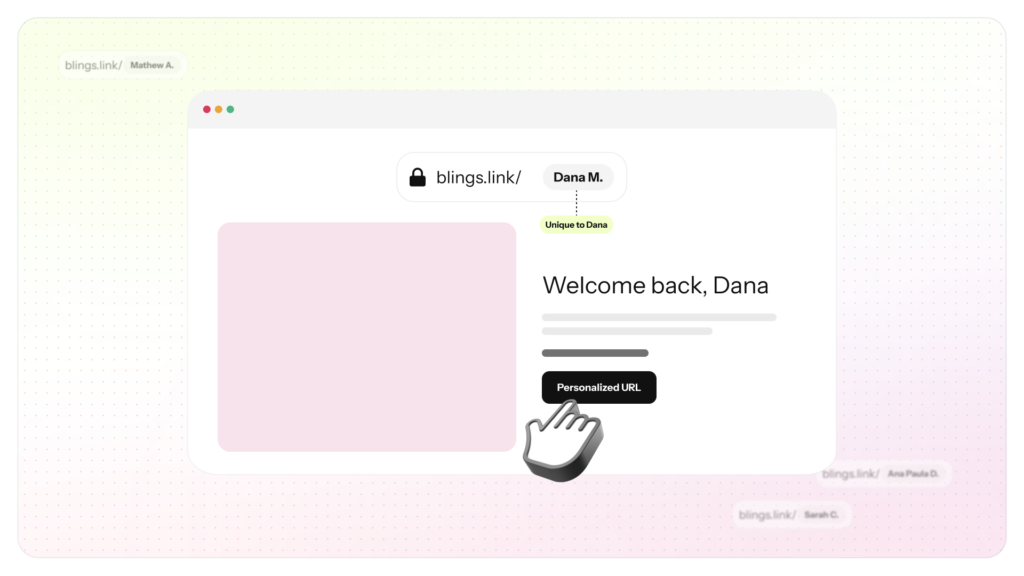
A PURL, or personalized URL, is a web link unique to one recipient that loads content built around their data. Instead of sending everyone to the same page, a PURL carries who the visitor is, so the page or video on the other side can greet them by name and show information that applies only to them.

Marketers have used PURLs for years in direct mail and email. This post explains what they are, how they work, and how they power personalized video.
How a PURL works

A PURL carries data in one of two ways. The simplest is a set of values added to the end of a link, called URL parameters:

https://yourbrand.com/welcome?first_name=Dana&plan=premium

When Dana opens it, the page reads those values and adapts. The second way hides the data behind a short code or token that the page looks up or decodes, which keeps the link clean and can keep the values private. Either way, the principle is the same: the link identifies the visitor, and the destination responds.

PURL versus a generic link

A generic link A PURL
Everyone lands on the same page Each recipient lands on a version built for them
No idea who clicked Knows who clicked, from the data in the link
Static content Content adapts to the recipient’s data
One message for all A different message for every recipient

The difference is not the address bar. It is what the destination can do once it knows who arrived.

Where marketers use PURLs

  • Email and SMS campaigns that send each recipient to a page or video made for them.
  • Direct mail that prints a short, memorable PURL or a QR code the recipient can visit.
  • Account-based marketing that greets a named company or contact on arrival.
  • Event and webinar follow-ups that carry registration details into the next step.

How Blings uses a PURL to personalize video

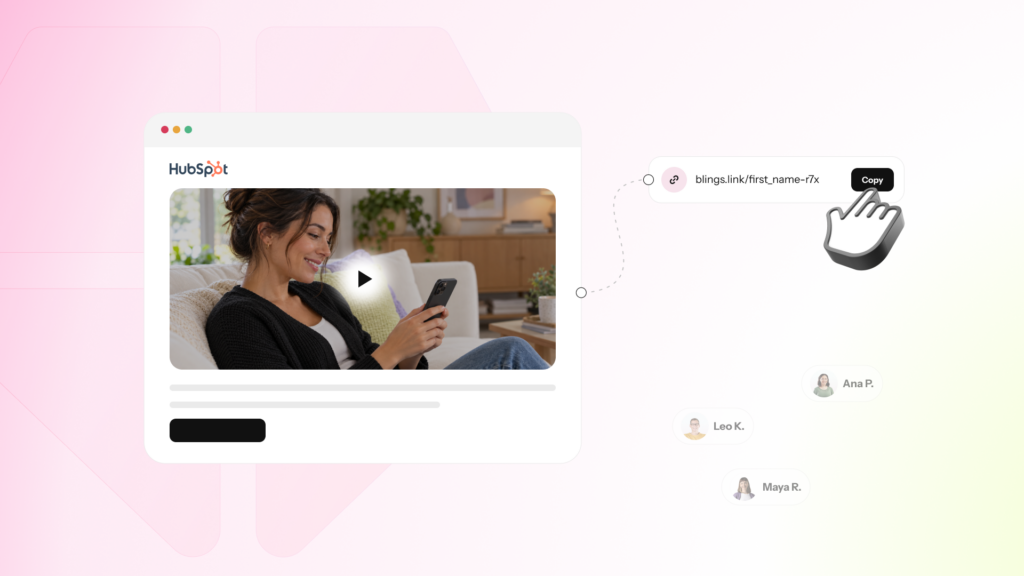
In Blings, the PURL is the Smart Video Link. You take the link from the Platform, attach your CRM’s merge tags to it, and send it in your campaign. When the recipient opens it, the Smart Video is generated on their device at the Moment of Open, using the data the link carried. The PURL is what turns one Smart Video template into a different video for every viewer.

Because the video is assembled on the device, the data in the PURL goes to the viewer, not to Blings. For values that should not sit in a visible link, the PURL can use a compact or signed token, or a hosted page that injects the data after it loads.

What makes a good PURL

  • It carries only what the destination needs. Pass the fields the page or video uses, and nothing extra.
  • It has a fallback. If a value is missing, the destination should still make sense.
  • It handles length and encoding. Use a token for short channels like SMS, and encode special characters and non-English text.
  • It respects privacy. Keep sensitive data out of a plain link with a token or a hosted page.

Frequently asked questions

What does PURL stand for?

PURL stands for personalized URL. It is a web link unique to one recipient that loads content built around their data.

How is a PURL different from a normal link?

A normal link sends everyone to the same page. A PURL carries data about the recipient, so the destination can adapt the content to them.

Are PURLs secure?

A plain PURL with visible parameters can be read or changed by anyone with the link. For sensitive data, use a compact or signed token, or a hosted page that injects the data after it loads.

How do PURLs work with personalized video?

In Blings, the PURL is the Smart Video Link. It carries your CRM data into the video, which is generated on the viewer’s device at the Moment of Open.

Do I need a developer to use a PURL?

No. For standard campaigns you add merge tags to the Smart Video Link in your CRM. A developer is only needed for backend or runtime data.

Your customers are waiting for great video experiences.

Schedule a custom demo