Personalization

How personalized video data flows from your CRM to the screen

Yonatan Schreiber's avatar Yonatan Schreiber | Jul 20, 2026
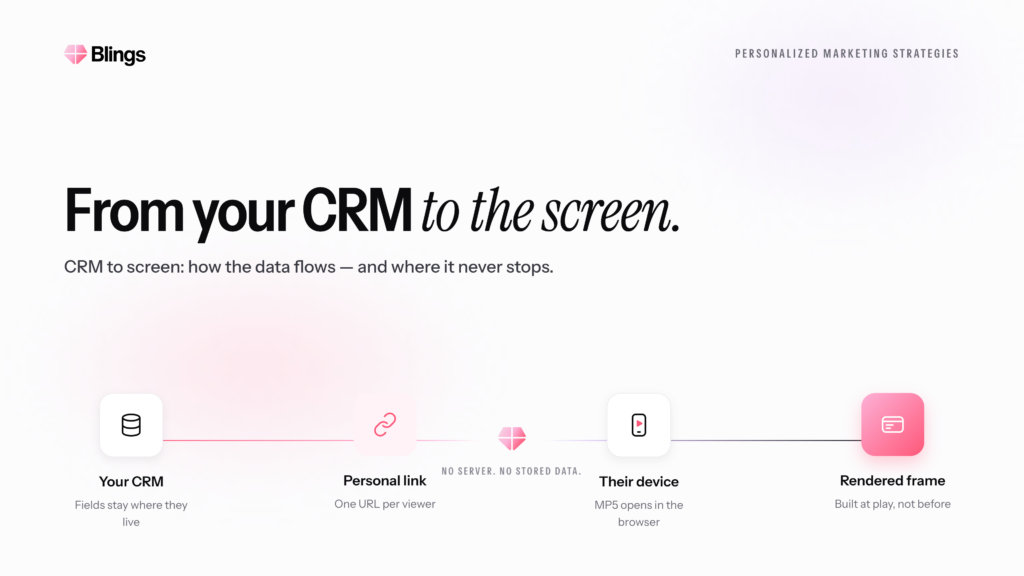
Blog cover with the heading from your CRM to the screen, illustrating a CRM to video pipeline on a light background.
Yonatan Schreiber's avatar Yonatan Schreiber | Jul 20, 2026

How is the data rendered into a personalized video? In short: your customer data stays in your CRM, travels as URL parameters or merge tags inside the message, and the Blings player assembles the video on the customer’s own device at the moment they open it, through on-demand generation. The data never gets baked into a file on a server. It flows from your CRM to the screen and personalizes the video in the instant of viewing. This piece traces that pipeline stage by stage, so you can see exactly where the data goes and where it does not.

Written as the pipeline explainer for anyone who wants to understand the data path end to end. It draws on production data from Wyndham, Habit Burger Grill, and Live Nation VIP.
What is the personalized video data pipeline?

The personalized video data pipeline is the path customer data takes from your CRM to the finished personalized video on the customer’s screen: CRM to URL parameters or merge tags, to the Blings player, to on-demand generation on the device. Four stages, and the data only ever leaves your systems as parameters in a link, never as a stored file.

Here is the pipeline at a glance:

Stage What happens Where the data lives
1. CRM Your customer data sits in your source of truth (Salesforce, HubSpot, Braze, Klaviyo) Your systems
2. URL parameters / merge tags The engagement platform writes the customer’s data into the Live URL as parameters at send time Inside the message, in your send
3. Blings player The customer taps the Live URL; the player and the Dynamic Master Template load on their device On the customer’s device
4. On-demand generation The player assembles the personalized video locally at the moment of open, using the parameters On the customer’s device

Stage 1: the data starts in your CRM

Everything begins with the data you already hold. Your CRM or customer engagement platform, Salesforce, HubSpot, Braze, Klaviyo, is the source of truth for every personalization variable: name, loyalty tier, points balance, last purchase, location, next-best offer. Nothing about the personalized video changes where this data lives. It stays in your systems throughout the entire pipeline.

This is the first thing to understand about the flow: the CRM is the origin, and it remains the only place the full customer record ever sits. The video pipeline reads from it; it does not copy it out.

Stage 2: the data travels as URL parameters or merge tags

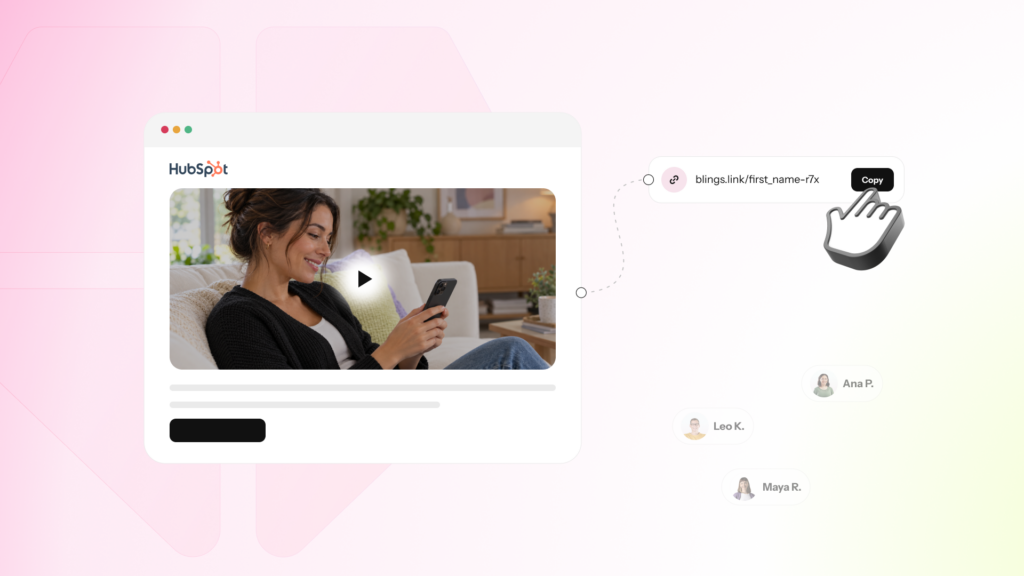
When you send the message, the personalization data travels inside the link, not as a separate data export. URL parameters and merge tags mean the specific customer values written into the Live URL by your engagement platform at send time, so the personalization the customer will see travels with the message itself rather than being pushed to a vendor’s database.

In practice, your email or push platform evaluates its merge tags, the same mechanism it already uses to insert a first name, and writes those values into the Live URL as parameters. A customer’s send carries a Live URL that encodes their name, their tier, their offer. The data moved from the CRM into the message, inside your own send, and went nowhere else. For why this link-based delivery keeps the message lightweight, see the MP4 is dead.

Stage 3: the Blings player loads on the device

When the customer taps the Live URL, the Blings player and the creative template load on their device. The Dynamic Master Template is the single creative logic system that describes how the video looks and how the data slots fill in, delivered to the device rather than pre-filled on a server. One template serves every customer; the parameters make each render unique.

At this stage, the creative arrives at the device and the personalization parameters from the Live URL are read locally. The player now has everything it needs to build this customer’s video, on the customer’s device, without calling back to a rendering server for a pre-made file. For the architecture behind the player, see AI video personalization in 2026: why architecture matters more than the algorithm.

Stage 4: on-demand generation assembles the video on the screen

The final stage is where the personalized video actually comes into existence. On-demand generation means the video is assembled on the customer’s device at the moment they open it, using the parameters in the Live URL, rather than being rendered into a file in advance. This is the Moment of Open: the instant the data meets the creative and the personalized video is generated, live, on the screen.

Because the video is generated at this moment, it always reflects the current data carried in the parameters, and it is produced without any per-customer file existing anywhere. The customer sees a video built for them, in the instant they watch it. And because this assembly happens on the device, the sensitive data never had to reach a Blings server, which is the basis of the Zero-Knowledge Architecture: Blings renders the personalization without ever holding the customer’s data.

Where does the data NOT go?

Tracing the pipeline is as much about where the data does not travel as where it does. The customer data is never exported to a Blings database. It is never rendered into a stored video file on a server. It never sits at rest on third-party infrastructure. The only movement is from your CRM into the Live URL parameters inside your own send, and then a local resolve on the customer’s device. Every stage keeps the data either in your systems or on the customer’s device, and never on a rendering server in between.

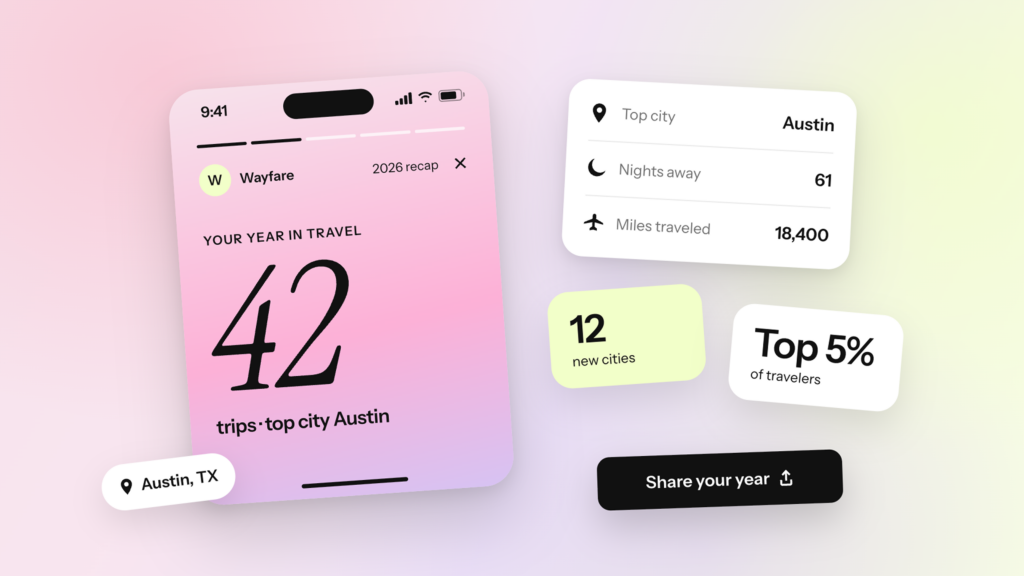
This is why the pipeline delivers deep personalization and a minimal data footprint at the same time. Wyndham ran this pipeline for a personalized recap and produced a 75% email CTR lift, see the Wyndham case study; Habit Burger Grill lifted loyalty signups by 47%, see the Habit Burger Grill case study; and Live Nation VIP produced a 16.6% share rate, see the Live Nation VIP case study.

FAQ

How is the data rendered into a personalized video?

Your customer data stays in your CRM, travels as URL parameters or merge tags inside the message at send time, and the Blings player assembles the video on the customer’s device at the moment they open it through on-demand generation. The data is never rendered into a file on a server; it personalizes the video live on the screen.

What are the stages of the personalized video data pipeline?

Four stages: (1) the data starts in your CRM, (2) it travels as URL parameters or merge tags inside the message, (3) the Blings player and Dynamic Master Template load on the customer’s device, and (4) on-demand generation assembles the personalized video on the device at the moment of open.

Does my customer data get sent to Blings servers?

No. The data moves from your CRM into the Live URL parameters inside your own send, then resolves locally on the customer’s device. It is never exported to a Blings database or rendered into a stored file on a server, which is the basis of the Zero-Knowledge Architecture.

What is on-demand generation?

On-demand generation is the assembly of the personalized video on the customer’s device at the moment they open it, using the parameters in the Live URL, rather than pre-rendering a file in advance. It means the video always reflects current data and no per-customer file exists on a server.

The takeaway

The personalized video data pipeline is a straight line with a deliberate gap in the middle. The data starts in your CRM, travels as URL parameters or merge tags inside your own send, loads with the Blings player on the customer’s device, and is assembled by on-demand generation at the moment of open. The gap is the rendering server that a traditional model would use, and which this pipeline does not: the data goes from your systems to the customer’s screen without ever resting on Blings infrastructure. Wyndham, Habit Burger Grill, and Live Nation VIP all run on this exact flow.

That is how the data is rendered: from your CRM to the screen, personalized in the instant of viewing, with the sensitive data never leaving your control to get there.

Your customers are waiting for great video experiences.

Schedule a custom demo